

How do I update the Jira subdomain in Testomat.io integration?
Update the Jira subdomain in your Testomat.io integration by following these steps:
- Change the Jira URL in the integration settings to the new subdomain.
- Click Save and then Install Webhook.
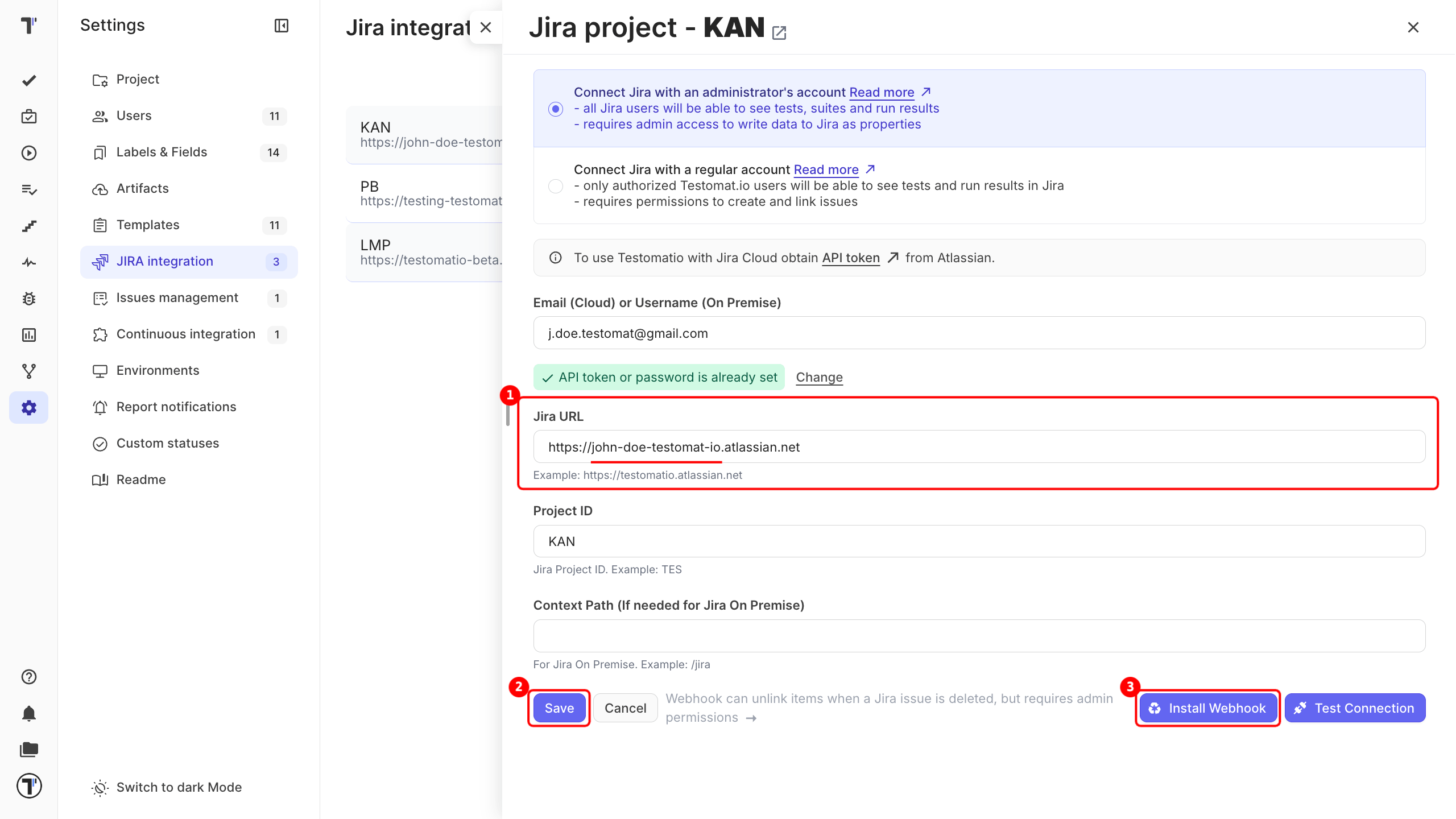
This updates the Jira integration to reflect the new subdomain.
- Changing the Jira URL in the integration settings does not remove existing Jira work item links from test cases.